

Adjustable Bed Remote Lost or Broken? Here Is What to Do
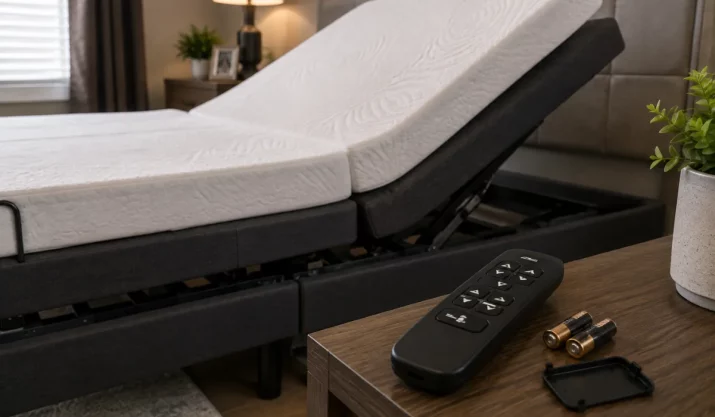
Table of Contents
- Adjustable Bed Remote Not Working? Identify the Failure
- Troubleshoot the Adjustable Bed Remote and Base
- Find the Right Adjustable Bed Remote Replacement
- How to Pair an Adjustable Bed Remote
- Control the Bed Without a Remote or Lower a Raised Base
- Decide Whether to Replace the Remote or Request Service
- When Bedroom Comfort Is Only Part of the Mobility Problem
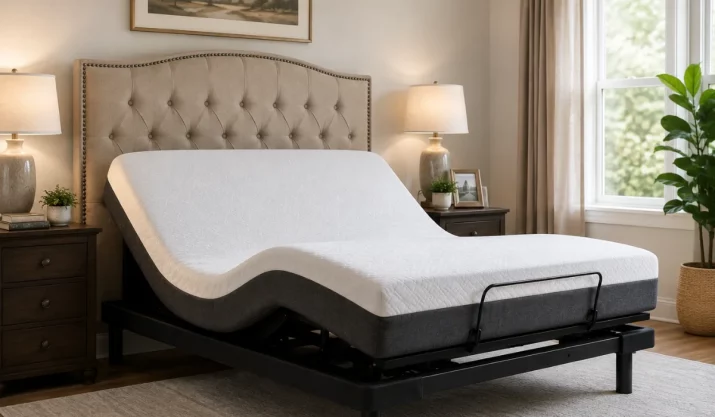
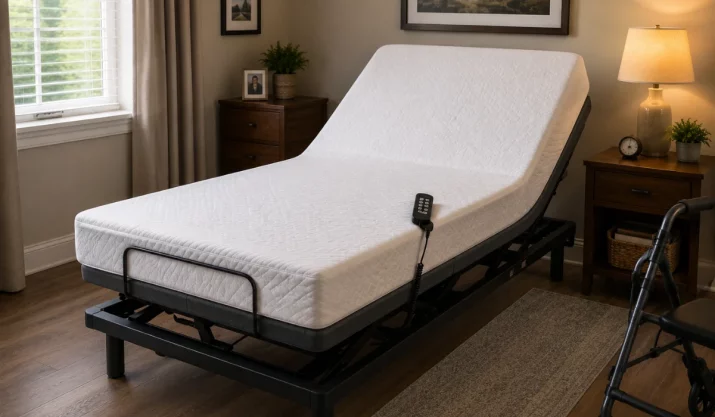
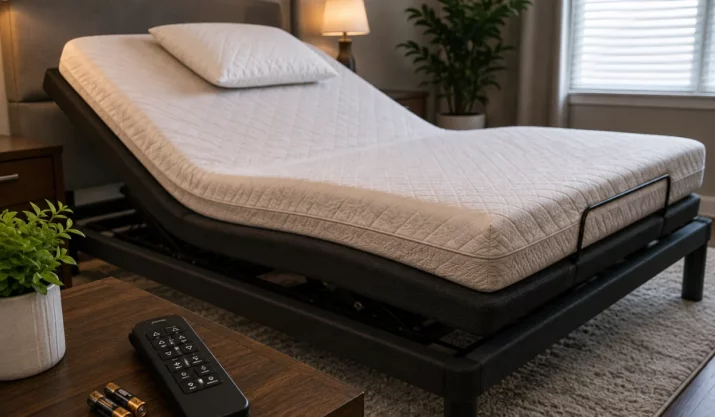
A missing adjustable bed remote can leave the head or foot section in an uncomfortable position. A cracked case, failed button, spilled drink, or weak battery may cause the same trouble. Before buying a new handset, check whether the problem comes from the remote, the power supply, the control box, or the moving frame.
Adjustable bed controls often look alike, but their electronics may differ. The right replacement must match the bed base, receiver, and supported functions. A few checks can help you avoid buying the wrong part or overlooking a fault that needs service.
Adjustable Bed Remote Not Working? Identify the Failure
Press the head, foot, and flat buttons one at a time. Watch the remote display or indicator light, then listen for a click, hum, or motor sound beneath the bed. These clues can show whether the handset is sending a command.
A blank screen usually points toward the batteries, battery contacts, or physical damage. A lit screen with no movement shifts attention to the outlet, lock setting, pairing, or base wiring. When one section moves and another does not, the remote may be working while a motor, cable, or control-box connection has failed.
| What Happens | What It May Mean | First Step |
|---|---|---|
| The remote has no display or light | Dead batteries, poor battery contact, or handset damage | Replace every battery and inspect the terminals |
| The remote lights up, but the bed does not move | No power at the base, lock mode, or lost pairing | Test the outlet and check the remote display |
| One movement button fails | Worn button or trouble with one bed section | Test the same movement again and listen for motor noise |
| The frame clicks without moving | Blocked movement, loose plug, or motor trouble | Unplug the bed and clear the moving area |
| One half of a split base works | Lost sync setting or a disconnected side | Check each side’s cables and control setting |
| The problem started after an outage | The controls may need a model-specific reset | Follow the owner’s manual |
| The remote works only close to the bed | Weak batteries or signal interference | Replace the batteries and move nearby electronics |
Search for a Lost Adjustable Bed Remote
Check between the mattress and frame, beneath pillows, inside loose bedding, behind nearby furniture, and around charging cords. Small remotes often slide down the side of the mattress or fall behind a nightstand.
Unplug the base before reaching underneath it. Adjustable frames contain lift arms, brackets, and hinges that can pinch fingers. Keep your hands outside the moving mechanism even when the frame appears still.
Some split systems include a second handset. Certain bases may also support a wired control or phone app. Check the bed paperwork before relying on either option, since wireless operation does not mean that every base supports an app.
Inspect a Broken Adjustable Bed Remote
Look for cracks, sunken buttons, liquid stains, loose battery contacts, or a rattle inside the case. A handset that works only when squeezed, twisted, or held at an angle has likely suffered internal damage.
Clean loose dirt from the battery compartment with a dry cotton swab. Do not pour cleaner into the remote or open a sealed case. Internal electrical repair is not a suitable household fix.
Troubleshoot the Adjustable Bed Remote and Base
Install a full set of fresh batteries rather than mixing old and new ones. Match the positive and negative ends to the marks inside the compartment. Weak batteries may still light the screen while failing to send a steady signal.
Check the bed base next. Push each visible plug into place and test the wall outlet with a lamp. If the bed uses a power strip, confirm that the switch is on and the reset button has not tripped. Look for a light on the transformer or control box, when one is fitted.
A dark control-box light after a successful outlet test points away from the remote. The cord, transformer, or control unit may need repair.
How to Reset an Adjustable Bed Remote System
Unplug the bed and follow the reset period stated in the owner’s manual. There is no single reset time or button sequence for every adjustable base. Read the full process before reconnecting power, since some systems give the user a short period to complete the next step.
Avoid random button combinations from forums or videos. Instructions written for another remote can activate child lock, change split-base settings, or interrupt pairing.
Check Child Lock and Split-Base Settings
A child lock can leave the screen active while blocking every movement command. Look for a padlock icon, flashing symbol, or message on the display. The unlock steps may appear beneath the battery cover or in the manual.
Split bases may lose their shared-control setting after an outage or control change. One handset might move one side, both sides, or the wrong side. Confirm the selected mode before deciding that the adjustable bed remote is broken.
Clear Anything Blocking the Frame
Remove blankets, pillows, storage bins, pet toys, and power cords from the moving area. Inspect the space from outside the frame rather than placing your hands inside the mechanism.
A U.S. Food and Drug Administration (FDA) homecare bed safety notice describes reports of hand controls overheating, melting, sparking, and catching fire on specified medical beds. It also connects some incidents with jammed parts and blocked movement. The notice concerns named medical beds, not every residential adjustable base, but it supports stopping use when a control becomes hot or the frame appears jammed.
Find the Right Adjustable Bed Remote Replacement
An adjustable bed remote replacement must match the electronics inside the base. The logo, case color, and button layout can help with identification, but they do not prove compatibility.
Look beneath the frame, beside the power supply, and on the control box for product labels. Unplug the bed before getting close to the underside. Take photos of each label so the numbers can be checked without moving the base again.
| Information to Find | Why It Matters |
|---|---|
| Base model number | Identifies the frame and control family |
| Serial number | Separates production versions |
| Original remote part number | Gives the closest replacement match |
| Control-box number | Identifies the receiver and motor connections |
| Purchase year | Helps separate older and newer electronics |
| Wired or wireless design | Rules out the wrong connection type |
| Single or split configuration | Shows whether side selection or syncing is needed |
| Original button functions | Confirms support for massage, memory, lighting, or presets |
Will a Universal Remote for an Adjustable Bed Work?
A universal remote for an adjustable bed may work with several bases that share the same receiver family. It does not mean that one handset can control every adjustable frame.
Compatibility can depend on radio frequency, Bluetooth support, receiver programming, motor count, and connector design. A replacement may raise the head and foot sections while failing to operate massage, saved positions, lighting, or other controls.
The safest source is the original bed manufacturer or a parts seller that lists exact compatible model numbers. Review the return terms before opening the package or starting the pairing process.
How to Pair an Adjustable Bed Remote
Most wireless replacement remotes must connect with the receiver before the bed will respond. The pairing control may be inside the battery compartment, on the control box, beside the transformer, or on a backup-power unit.
Follow the manual steps in the stated order. Watch for a beep, indicator light, screen message, or small frame movement that confirms the connection. Once the pairing is complete, test every function that belonged to the original remote.
| Control Type | How It Connects | Common Problem |
|---|---|---|
| Wired handset | Plugs into the base | The connector shape or pin layout does not match |
| Radio-frequency remote | Sends a wireless signal to a receiver | The remote has not been paired |
| Bluetooth control | Connects at short range | The base or phone does not support that version |
| Phone app | Connects through supported base electronics | The installed control box does not support the app |
| Split-base remote | Operates one or both linked frames | Side selection or sync mode is incorrect |
Mayo Clinic advises users to follow the directions for the manufacturer of the supplied bed. It also warns against using damaged controller cords or opening motors, hand controls, gears, and junction boxes. The document covers hospital beds, so its emergency procedures should not be copied to a residential base unless that base’s manual calls for the same method.
Control the Bed Without a Remote or Lower a Raised Base
How to control an adjustable bed without a remote depends on the installed system. Some bases have a second handset, wired controller, phone app, or emergency battery unit. Others have no separate control option.
Check the manual and the labels near the power supply before trying another device. Do not connect a random handset, battery pack, or phone app. An unapproved control may not communicate with the receiver and could damage the electrical system.
What to Do When an Adjustable Bed Is Stuck in a Raised Position
Do not press down on the platform. Forced movement can damage lift arms, hinges, motor mounts, and frame connections. Help the user out of bed when it is safe, then remove pets, bedding, and loose objects from the moving area.
Test the outlet, inspect accessible plugs after disconnecting power, and complete the approved reset or pairing process. Try the flat button again only after those checks.
Check for an Emergency Lowering Method
Some bases include a battery-powered lowering feature. Others use a manual system, while many have no homeowner-operated emergency release. The manual should state which method applies.
Backup power may lower the frame without operating massage or saved positions. Do not splice a cable, connect an unapproved battery, or turn a motor by hand.
Stop When You Notice Electrical Damage
Unplug the bed when the handset feels hot, the cord is split, a plug smells burned, or the base produces smoke or sparks. Do not keep pressing buttons to see whether the fault clears.
A U.S. Consumer Product Safety Commission recall covered about 50,000 adjustable beds whose side-mounted outlets could be wired incorrectly and create an electric shock hazard. The recall applied to a specific product group, but it shows why damaged electrical parts call for inspection instead of another reset attempt.
Decide Whether to Replace the Remote or Request Service
Replace the adjustable bed remote when the case is broken, the battery terminals are damaged, several buttons have failed, or the correct handset cannot hold its connection. Check warranty terms before paying for a new remote.
Request service when the outlet works but the base remains dead, one motor will not move, the control box has no light, or the bed clicks without changing position. Heat, smoke, exposed wiring, and sparks call for immediate disconnection.
| Condition | Replace the Remote | Request Service |
|---|---|---|
| Broken case or battery cover | Usually | If the new remote also fails |
| Several buttons no longer respond | Usually | If the base shows other symptoms |
| Correct remote will not pair | Possibly | Yes, when the pairing steps fail |
| One section moves and another does not | No | Yes |
| The outlet works, but the control box stays dark | No | Yes |
| The motor clicks or hums without movement | No | Yes |
| The cord, plug, or handset becomes hot | No | Unplug the bed and call |
| Smoke, sparks, or a burning odor appears | No | Unplug the bed at once |
Write down the model number, serial number, remote part number, and symptoms before contacting the original manufacturer or a qualified technician. Include any outage, spill, drop, unusual sound, or partial movement.
The order matters. Replace the batteries, confirm power, clear the frame, check lock mode, and follow the pairing instructions for the exact bed model. When those steps fail, match the adjustable bed remote by part number or ask the original manufacturer to inspect the powered base.
When Bedroom Comfort Is Only Part of the Mobility Problem
Fixing or replacing an adjustable bed remote can restore comfort in the bedroom. For some homeowners, though, the larger challenge is getting safely between floors once stairs become difficult.
When stairs start limiting movement between levels, a residential lift may offer a safer way to reach the rest of the house. California Mobility helps homeowners review residential lift options based on available space, mobility needs, and home layout. Contact us to discuss residential lift options for safer access between floors.